Weather Live - Daily Forecast
Publisher Description



Your ultimate weather live app for accurate real-time local weather information!
🌦️ Weather Live - Daily Forecast - Accurate Forecast & Real-time Updates
Stay one step ahead of the weather with Live Weather, your all-in-one weather companion. Whether you're planning a trip, dressing for the day, or simply curious about your local conditions, our app delivers the most accurate, real-time weather updates straight to your device.
🌤️ Key Features Weather Live - Daily Forecast:
✔️ Real-time Weather Data
Instantly view current weather conditions, including temperature, wind speed, humidity, UV index, and more - updated live with high accuracy.
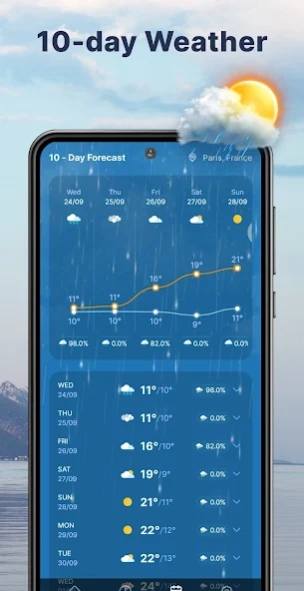
📅 Hourly & 10-Day Forecast
Plan with detailed hourly, daily, and 10-day forecasts tailored to your exact location. Get the weather outlook you need for the day or week.
📍 Local & Global Coverage
Whether you're at home or traveling abroad, Live Weather provides location-based forecasts using GPS or manual input for any city worldwide.
🧭 Simple, Fast, and User-Friendly
Designed for everyone - minimal design, smooth navigation, and fast updates ensure a seamless weather experience.
Download Weather Live - Daily Forecast today and take control of your planning!
About Weather Live - Daily Forecast
The company that develops Weather Live - Daily Forecast is SABAN. The latest version released by its developer is 1.0 .
To install Weather Live - Daily Forecast on your Android device, just click the green Continue To App button above to start the installation process. The app is listed on our website since 2026-05-05 and was downloaded 0 times. We have already checked if the download link is safe, however for your own protection we recommend that you scan the downloaded app with your antivirus. Your antivirus may detect the Weather Live - Daily Forecast as malware as malware if the download link to com.weather.live.daily.forecast.hourly.accurate is broken.
How to install Weather Live - Daily Forecast on your Android device:
- Click on the Continue To App button on our website. This will redirect you to Google Play.
- Once the Weather Live - Daily Forecast is shown in the Google Play listing of your Android device, you can start its download and installation. Tap on the Install button located below the search bar and to the right of the app icon.
- A pop-up window with the permissions required by Weather Live - Daily Forecast will be shown. Click on Accept to continue the process.
- Weather Live - Daily Forecast will be downloaded onto your device, displaying a progress. Once the download completes, the installation will start and you'll get a notification after the installation is finished.
Program Details
System requirements
Download information
Pricing
Version History
version
posted on 2026-05-05
Release
